Collect inspiration effortlessly
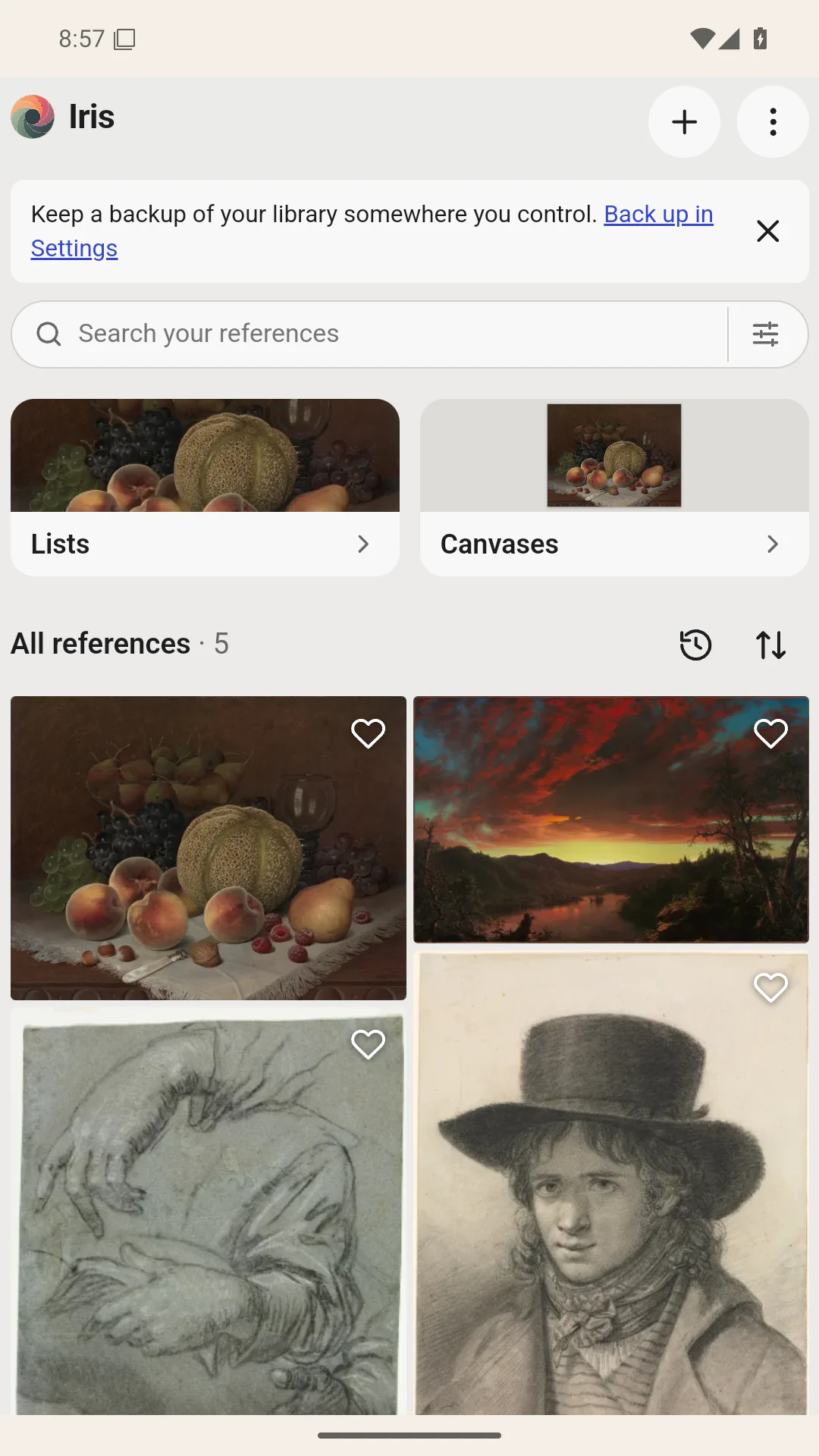
Save images and links from your browser, your gallery, Pinterest, Reddit or any app that can share. Iris keeps the full-quality original and where it came from, so a reference never disappears just because the post it came from did. Organize references into collections, add tags and notes, and find them again later. Over time, you curate a library that’s truly yours: references you chose for a reason, not an endless feed picked by an algorithm.
Start exploring right away with open-access art from Wikimedia Commons, the Cleveland Museum of Art, the Art Institute of Chicago and SMK – the National Gallery of Denmark. Each source sets its own license, so check the source before reusing an image.
Understand what you’re looking at
Study references with Mirror, Grayscale, Invert, Grid, Value Bands, Squint and the Value Picker, then use Compare to check a photo of your drawing against the reference. These aren’t filters. They’re tools that help artists learn to see.
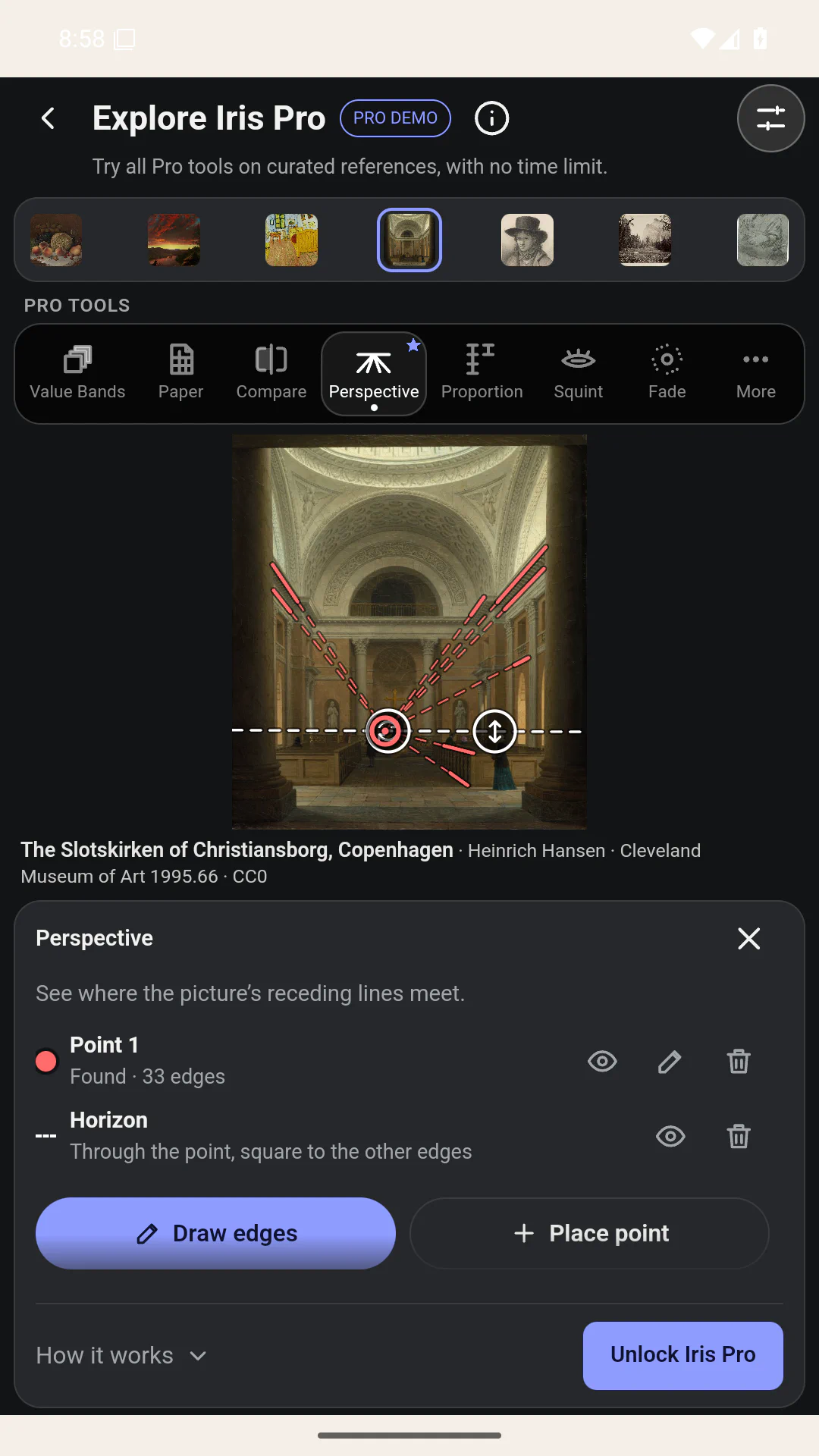
Practice Memory drawing by studying a reference, drawing with it hidden, then revealing it to compare. Let a Fading reference gradually blur away as you draw, or use Perspective to find vanishing points and the horizon in a photo. Study tools change the view; your original stays untouched.
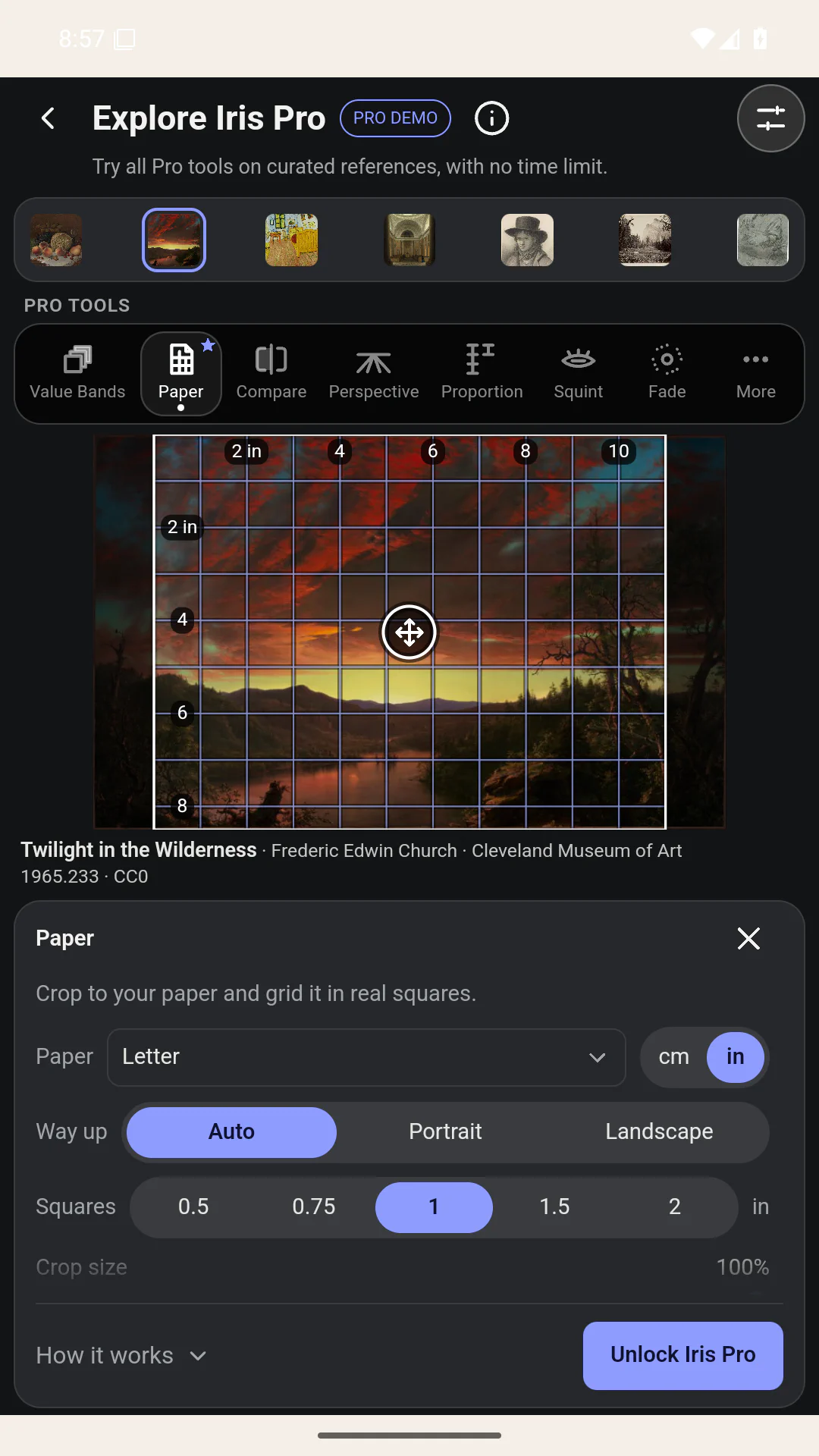
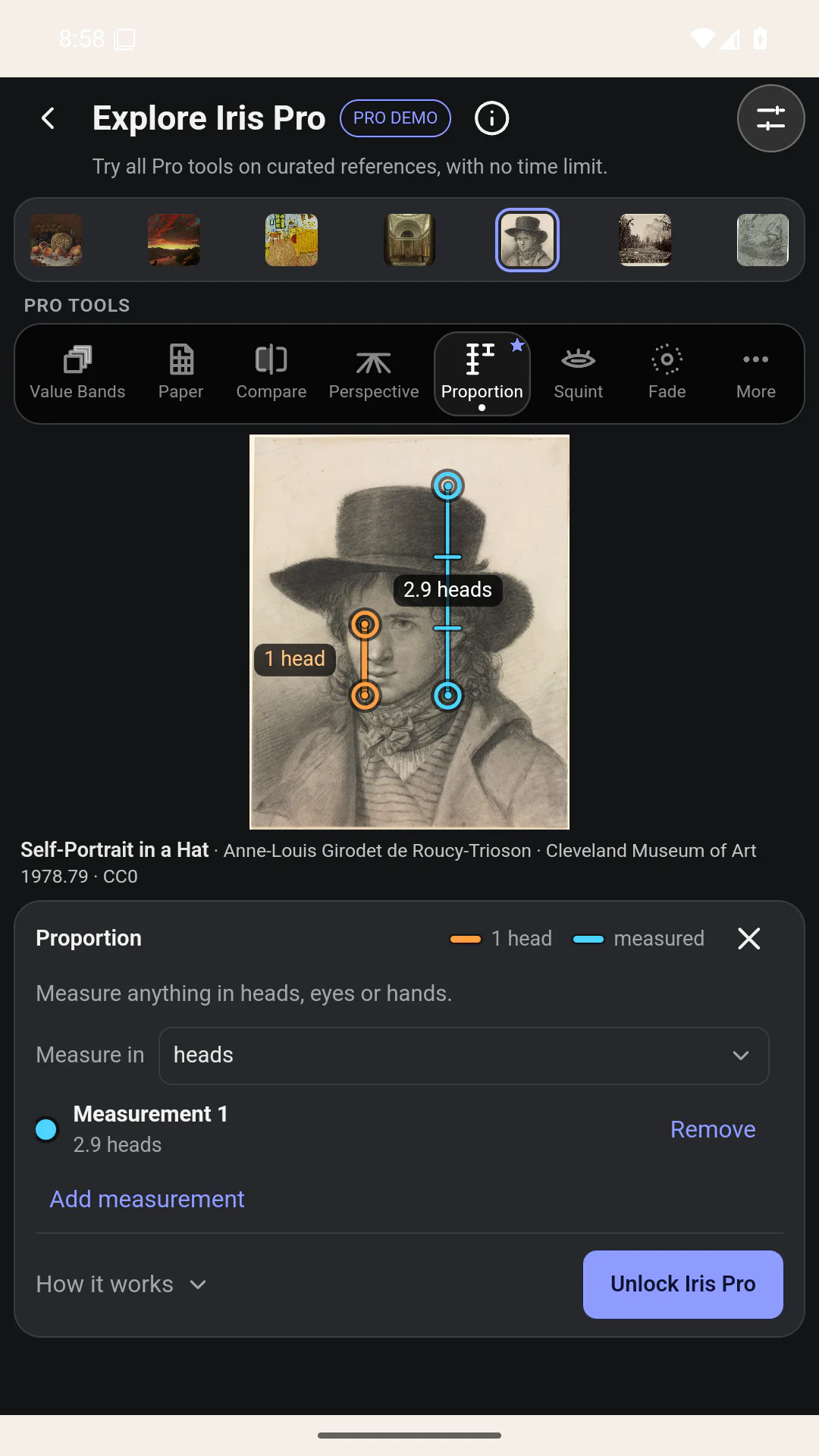
Use Paper to fit a reference to your sheet with a measured transfer grid. Proportion lets you compare lengths in heads, eyes or hands.
Get straight to drawing
Take a reference from your library straight into practice. Open it in an immersive viewer beside your sketchbook, start a timed session, or send it to Infinite Painter.
Yours to keep
No account needed. Your references are stored on your device as full-quality originals, not in someone else’s cloud. Saving, organizing, viewing, canvases, timed practice and the basic study tools are free, with no limits on how many references, collections or canvases you keep.
And no generative AI in the app: Iris supports your craft. It doesn’t replace it.
Simple, transparent pricing
- Iris: free. Unlimited references, collections and canvases, Explore, timed practice, Mirror, Grayscale, Invert, Grid, composition overlays, and backup and restore. No trial or time limit.
- Iris Pro: pay once. Value Bands, Squint, Value Picker, Compare, Memory drawing, Fading reference, Perspective, Paper, Proportion and custom themes. Try every Pro tool on bundled sample artworks with no time limit. One purchase includes future improvements to these tools.
- Sync: optional subscription. Encrypted sync between your devices, paired by QR code with no account. Choose Mini (2 GB), Core (50 GB) or Plus (200 GB). Study tools never require Sync, and your library stays on your device and works fully offline.
Your own images, manual backups and exports are never behind a paywall.
Available now on Google Play for Android.
Coming to iPad and iPhone
Iris for iPad and iPhone is planned. Join the waiting list and you’ll hear when it’s ready. Tick iPad, iPhone or both, and tick TestFlight if you’d like to try early builds before release.
Iris is made by Gjessing Labs. Questions or feedback: [email protected] · Iris Privacy
Screenshots feature CC0 artworks from the Cleveland Museum of Art. The Pro demo’s sample shelf also includes Van Gogh’s public-domain The Bedroom.